Vimarsana
Biggest News Aggregation in the World

Page 5 - Preview Channel News Today : Breaking News, Live Updates & Top Stories | Vimarsana

Stay updated with breaking news from Preview Channel. Get real-time updates on events, politics, business, and more. Visit us for reliable news and exclusive interviews.

Top News In Preview Channel Today - Breaking & Trending Today

These older versions of Visual Studio will soon no longer be supported by Microsoft - Vimarsana News

These older versions of Visual Studio will soon no longer be supported by Microsoft

In an announcement, Microsoft let users of older versions of Visual Studio know that they will no longer get support. These users are being encouraged to make

Source: onmsft.com
Microsoft to release Windows 11 build with experimental features - Vimarsana News

Microsoft to release Windows 11 build with experimental features

Microsoft will distribute Windows 11 over three channels - Dev, Beta and Preview.

Microsoft is changing the way it tests Windows 11 preview builds with Insiders - Vimarsana News

Microsoft is changing the way it tests Windows 11 preview builds with Insiders

Microsoft has today announced that it's changing up the way in which it flights preview builds of Windows 11 to Insiders registered in the Dev or Beta Channels. Going forward, both channels are to be considered the "active development branch," but for different kinds of feature testing.

Samsung Galaxy Z Fold 4: 7 features we want to see - Vimarsana News

Samsung Galaxy Z Fold 4: 7 features we want to see

The Samsung Galaxy Z Fold 3 is an amazing phone, but there's no shortage of things we could imagine seeing improvements in the sequel.

How to get the Windows 10 May 2021 Update final release before anyone else - Vimarsana News

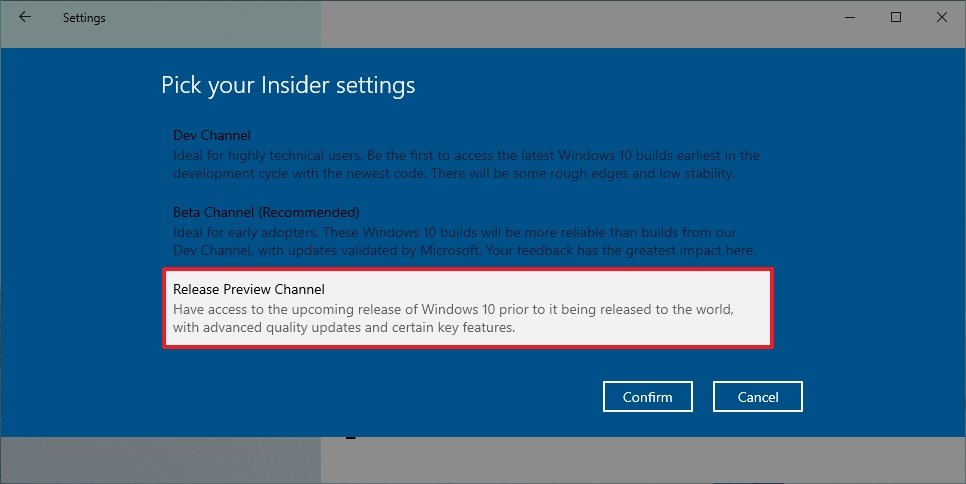
How to get the Windows 10 May 2021 Update final release before anyone else

Source: Windows Central Quick note: The new feature update will download and begin to install automatically. However, if it is not offered to you automatically, under the "Feature update to Windows 10, version 21H1" section, click the Download and install option to trigger the upgrade. Click the Restart now button. Once you complete the steps, the May 2021 Update (build 19043.928, 19043.964, or higher) will install on the device. If you already had version 20H2 or 2004, the installation process will take only a few minutes because the system will need to download only an enablement package ...